
BitBox – Kia/Hyundai Diesel
Code: DJ-BITBOX-11
BitBox activation for Kia/Hyundai Diesel. Check the ECU, software version and connection requirements against the official compatibility list.
- Delivery Software, no physical shipping
- Category BitBox Software Module
- Questions WhatsApp · Email us

Description
Module Kia/Hyundai Diesel


FID: 37, 42, 41, 39, 343 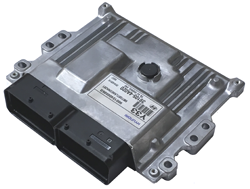
OBD programming for Delphi and Denso controllers fitted to diesel Kia/Hyundai vehicles.
Kia/Hyundai Denso Diesel SH72546 (FID: 42)
Processor: Renesas SH72546. Internal memory: 3.75Mb.
Read FullFlash directly or virtually and write it over CAN with CHK calculation. Recovery is available regardless of ECU state.
Supported vehicles:
Hyundai Grand Starex H-1 (TQ) 2.5 CRDI Euro6
Hyundai H350 (EU) 2.5 CRDI Euro6
Hyundai H100 Porter (HR) 2.5 CRDI Euro6
Kia Bongo/K2500 2.5 CRDI Euro6
Kia/Hyundai Delphi DCM6.2AP (FID: 41)
Processor: NXP SPC5674. Internal memory: 4Mb.
Read FullFlash and write the calibration area over CAN with CHK calculation.
Supported vehicles:
Hyundai i20 (GB) 1.1 CRDI Euro6
Kia Rio (UB) 1.1 CRDI Euro6
Kia/Hyundai Delphi DCM6.2AP BSL (FID: 343)
Processor: NXP SPC5674. Internal memory: 4Mb.
BSL/CAN functions include FullFlash reading and calibration writing with CHK calculation. Recovery after an OBD flashing failure requires a complete flash readout; the OBD FullFlash from FID 41 is suitable.
Kia/Hyundai Delphi DCM3.7AP (FID: 39)
Processor: Renesas SH72513. Internal memory: 2Mb.
Read FullFlash and write the calibration area over CAN, including CHK calculation.
Supported vehicles:
Hyundai H-1 (TQ) 2.5 CRDi Euro4/5
Hyundai i20 (PB) 1.1 CRDi Euro5
Hyundai i20 (PB) 1.4 CRDi Euro4/5
Hyundai i30 (GD) 1.4 CRDi Euro5
Hyundai iX20 (JC) 1.4 CRDi Euro5
Hyundai H100/Porter (HR) 2.5 CRDi Euro5
Kia Rio (UB) 1.1 CRDi Euro5
Kia Rio (UB) 1.4 CRDi Euro5
Kia Cee'd (JD) 1.4 Euro5
Kia Venga (YN) 1.4 CRDi Euro5
Kia Bongo/K2500 (PU) 2.5 CRDI Euro5
Kia Delphi DCM3.2AP (FID: 37)
Hardware: Motorola MPC563 plus AM29BDD160GB external flash; total addressable memory, 2.5Mb.
CAN functions include FullFlash reading and writing with CHK calculation.
Supported vehicles:
Kia Bongo 2.9 CRDI Euro4
Kia Carnival 2.9 CRDI Euro4
Kia Sedona 2.9 CRDI Euro4
Software activation requires a BitSoftware USB dongle. Enter your existing dongle serial number in the serial number field at checkout.
Technical source: BitBox official module documentation.
More in BitBox Software Module
View all-
 BitBox – SsangYong Siemens PetrolDJ-BITBOX-12
$233.00
BitBox – SsangYong Siemens PetrolDJ-BITBOX-12
$233.00
-
 BitBox – Harley-Davidson DelphiDJ-BITBOX-13
$292.00
BitBox – Harley-Davidson DelphiDJ-BITBOX-13
$292.00
-
 BitBox – China Delphi/AECS PetrolDJ-BITBOX-14
$163.00
BitBox – China Delphi/AECS PetrolDJ-BITBOX-14
$163.00
-
 BitBox – Moto/Extreme Denso Virtual ReaderDJ-BITBOX-15
$117.00
BitBox – Moto/Extreme Denso Virtual ReaderDJ-BITBOX-15
$117.00
-
 BitBox – Kia/Hyundai Petrol CANDJ-BITBOX-16
$233.00
BitBox – Kia/Hyundai Petrol CANDJ-BITBOX-16
$233.00
-
 BitBox – GM Diesel CANDJ-BITBOX-17
$233.00
BitBox – GM Diesel CANDJ-BITBOX-17
$233.00